Setting up a DJ studio at home in 2026 does not require a huge budget or a dedicated room in a mansion — it requires five specific pieces of gear, a bit of planning around your space, and knowing what actually matters versus what is nice to have. This guide walks through exactly what to buy, in what order, and how to arrange it so you can start practicing (or producing) today.
Quick Answer: What You Actually Need
- A DJ controller or mixer + decks to play and blend tracks
- Closed-back DJ headphones to cue the next track privately
- Studio monitors or speakers so you can hear your mix in the room
- DJ software (Serato DJ Pro, rekordbox, or Traktor Pro 3)
- A quiet, comfortable space where you can leave your setup out
Everything past this list — audio interfaces, acoustic treatment, cable management — improves the experience but is not required to start.
Step 1: Choose Your Room
Your room shapes your sound more than any single piece of gear, so start there before buying anything. Look for a space where you can leave your setup out between sessions, sit or stand comfortably for a few hours, and control noise both coming in and going out to the rest of the house. A spare bedroom, a finished basement corner, or even a cleared-out closet-sized nook all work fine for a first setup.
You do not need acoustic treatment on day one. If you notice a lot of echo or boomy bass once your speakers are running, adding a couple of foam panels or a rug is a cheap fix — but it is a step two problem, not a step one problem.
Step 2: Pick a Controller or Mixer + Decks
For most beginners in 2026, an all-in-one DJ controller is the easiest and most affordable way in — it combines the mixer, jog wheels and pads into a single unit that plugs straight into a laptop. If you already researched this on our site, our best beginner DJ controllers guide breaks down specific picks by budget.
Step 3: Get Closed-Back DJ Headphones
DJ headphones let you cue up the next track privately without playing it through the room speakers — this is non-negotiable, even for home practice, because it is how you actually learn to beatmatch by ear. Look for closed-back, swiveling ear cups and a coiled cable. For picks and prices, see our DJ headphones buying guide.
Step 4: Choose Studio Monitors (Not Party Speakers)
This is the step most beginners get wrong. For a home setup where you are mixing and practicing rather than playing to a room full of people, you want studio monitors — not PA speakers built for parties. Studio monitors are designed for flat, accurate playback at moderate volume, so what you hear is actually what your mix sounds like, instead of a boosted, bass-heavy version. A pair like the Yamaha HS8 is a common, reliable choice for a home DJ or production desk.
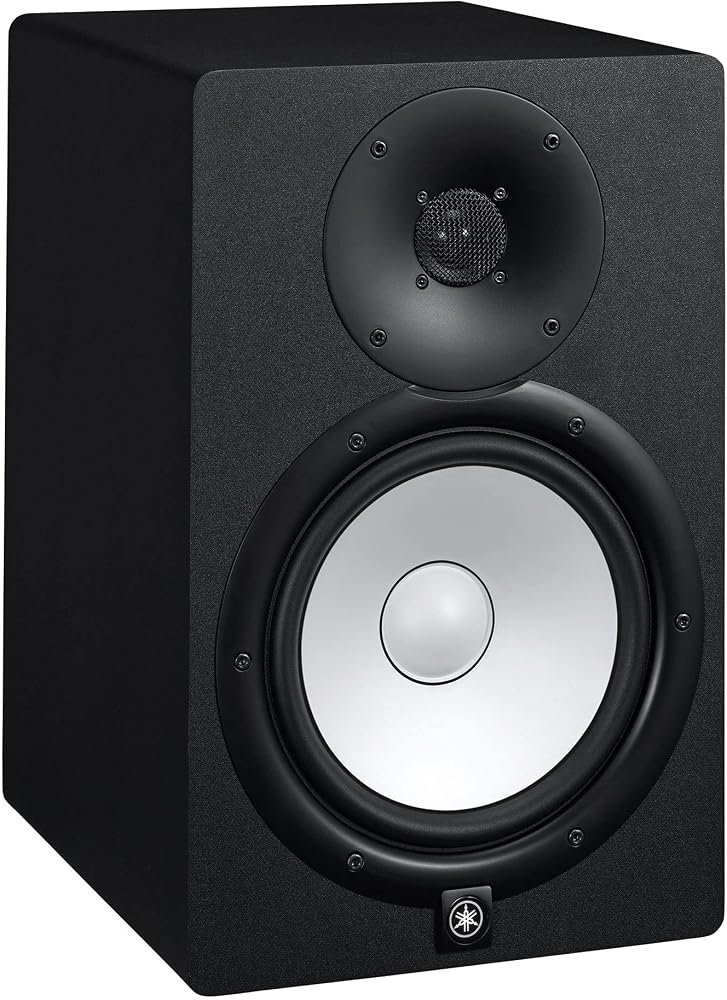
✅ Check Yamaha HS8 price on Amazon
If you are planning to DJ live events rather than just practice at home, you will eventually want PA speakers too — our guide on studio monitors vs PA speakers explains exactly when you need each one.
Step 5: Add an Audio Interface (Optional but Recommended)
An audio interface is not strictly required if your controller has built-in sound card outputs (most do), but if you plan to record your mixes, use external monitors properly, or eventually get into production, a small interface like the Focusrite Scarlett 2i2 gives you cleaner sound and more flexibility for a modest price.
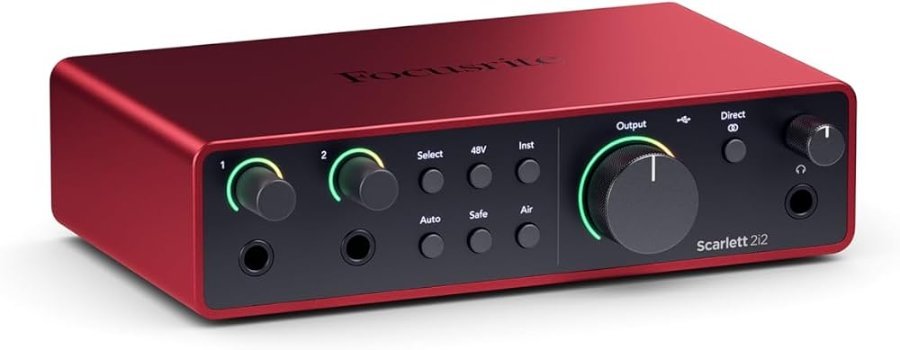
✅ Check Focusrite Scarlett 2i2 price on Amazon
Ergonomics: Get Your Height and Layout Right
Your controller should sit at a height where your elbows rest at roughly 90 degrees — too high or too low and your wrists and shoulders will feel it after an hour. A sturdy desk or a dedicated DJ stand keeps everything stable and prevents the classic beginner mistake of a wobbly folding table. Position your monitors at ear height, angled slightly inward toward where you stand, forming a triangle with your head.
Budget Breakdown
- Starter (~$400-$600): Entry-level controller + basic closed-back headphones + one pair of budget powered speakers.
- Solid home setup (~$900-$1,300): Mid-range controller + quality headphones + a pair of studio monitors like the HS8.
- Serious home studio (~$1,800+): Everything above + audio interface + acoustic treatment + a dedicated stand/desk.
Home DJ Studio Gear Shortlist
If you want to build your home DJ studio without overthinking it, start with these categories in this order: a controller, closed-back headphones, and a pair of small monitors. Each choice below links to our full buying guide, so you can compare options before you buy.
- Controller: see our best DJ controllers for beginners.
- Mixer (if you prefer separate decks): see the best DJ mixer for beginners.
- Headphones: see the best professional DJ headphones.
- Monitors: compact options for a bedroom setup include the Pioneer DJ DM-40D, the PreSonus Eris 3.5 and the Edifier MR3. More in best speakers for a DJ controller.
Once these pieces are in place, a home DJ studio setup is mostly about layout: keep the controller at elbow height, put the monitors at ear level in a triangle with your head, and keep cables off the floor. Use our DJ equipment checklist to make sure you haven’t missed anything.
Frequently Asked Questions
Do I need studio monitors or can I use regular speakers?
Regular consumer speakers or Bluetooth speakers boost bass and treble to sound “better,” which means you are not hearing your actual mix. Studio monitors give you flat, honest sound — that accuracy is the entire point when you are learning or producing.
Can I DJ with just a laptop and headphones, no speakers?
Yes, technically — plenty of people practice on headphones alone when living in an apartment. You will still want speakers eventually to hear how your mix translates to a room, but it is not a hard requirement to start.
How much should a total beginner spend on a first setup?
Budget $400-$600 for a genuinely usable starter setup: controller, headphones, and one small pair of powered speakers. You can always upgrade individual pieces later instead of buying everything expensive upfront.
Do I need an audio interface if my controller already has outputs?
No — most beginner and mid-range controllers have a built-in sound card that outputs directly to speakers. An interface becomes useful once you start recording sessions or producing music separately from DJing.
Related Guides
- Best DJ Controllers for Beginners 2026
- Best DJ Headphones 2026
- How Many Watts Do You Need for DJ Speakers?
- DJ Equipment Checklist for Beginners 2026
As an Amazon Associate I earn from qualifying purchases.
3 Responses